The case in one minute
The better route was hidden in the onboarding constraint.
Northstar Components is a fictional company with 86 staff. Its first discussion offers two options: launch widely or postpone expansion. Independent perspectives reveal that demand and delivery capacity need different tests. A bounded pilot creates a third option, and the later result shows why the original capacity warning mattered.
All people, dates, measures, conversations and outcomes in this example are synthetic. The screenshots show real application interfaces populated with prepared sample data. Browsing the demo does not change an account or call live AI.
Walk through the real product demoActual interface · prepared team view
Each person sees a different part of the same situation.
The participant contributes before the core team’s answers are revealed. The owner later compares separate views and records how a concern affected the decision. This preserves useful disagreement instead of turning all contributions into an unexplained consensus.
Explore the participant view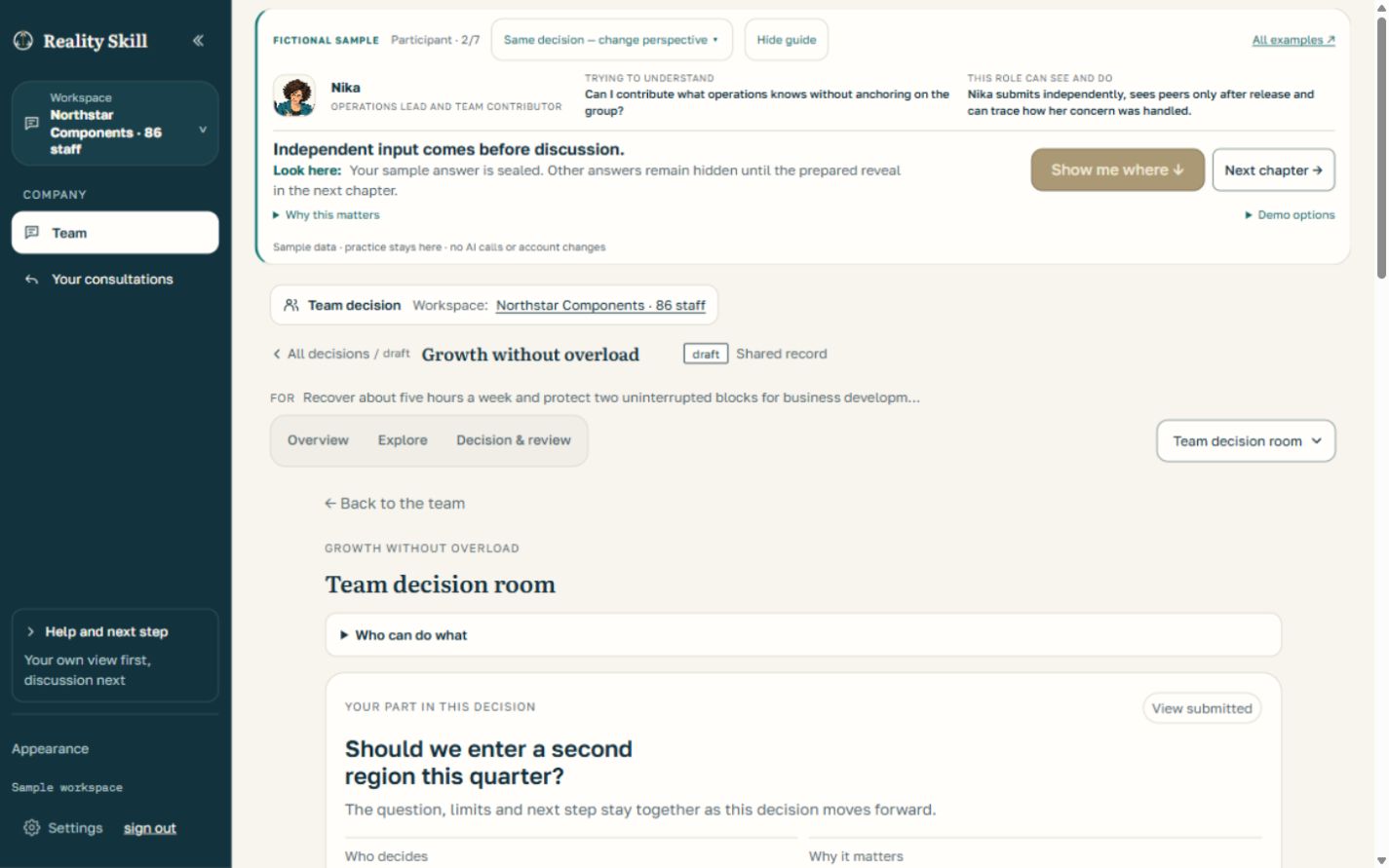
One connected decision cycle
What the team saw, chose and checked.
- 01
Start with the question, not an answer
The initial choice is a full launch in a second region this quarter or a delay. The objective is growth without weakening customer trust. The fictional decision owner records what is known, what is assumed and who will make the call.
See the starting frame - 02
Hear people before they influence one another
The seven-person core Team Room gathers views independently before reveal. Sales sees demand. Operations sees an onboarding queue. A separate consultation brings in forty colleagues without making them members of the core decision team. A protected concern points to the risk that a full launch would hide the backlog until customers feel it.
See the independent round - 03
Locate the assumption that changes the options
The operations report describes today’s queue. It does not prove that every customer type needs the same onboarding path. The question changes from “launch fully or wait?” to “what would justify a limited test without breaking onboarding?” The team can now consider a smaller, reversible third route.
Explore the reframe and map - 04
Make the call and name the stop condition
The decision owner chooses a twelve-customer pilot in a lower-touch segment. The team records the concern that capacity may still be insufficient. The next action is to prepare the cohort; the stop condition is to pause if median onboarding exceeds ten working days. The accepted decision and its expected signal remain visible.
Read the recorded commitment - 05
Check the course while action is underway
Between commitment and the final Reality Date, a dated checkpoint lets a participant report a change or concern. The owner can answer and open a linked course review without rewriting the original decision. The invited advisor sees only the material and response the client has authorized.
See follow-through - 06
Compare the result with the earlier expectation
The prepared result is mixed: demand is encouraging, but median onboarding reaches twelve days and crosses the ten-day limit. The company pauses expansion, adds onboarding capacity and plans another test. The earlier operational concern remains in the record. No revenue improvement or customer return on investment is inferred from this fictional case.
See the reality check
Actual interface · prepared owner view
The decision stays connected to execution.
The original commitment remains on record. A checkpoint can bring a new signal to the owner, who records a response or changes the next move. The final review still compares the original expectation with the reported result.
Explore the course check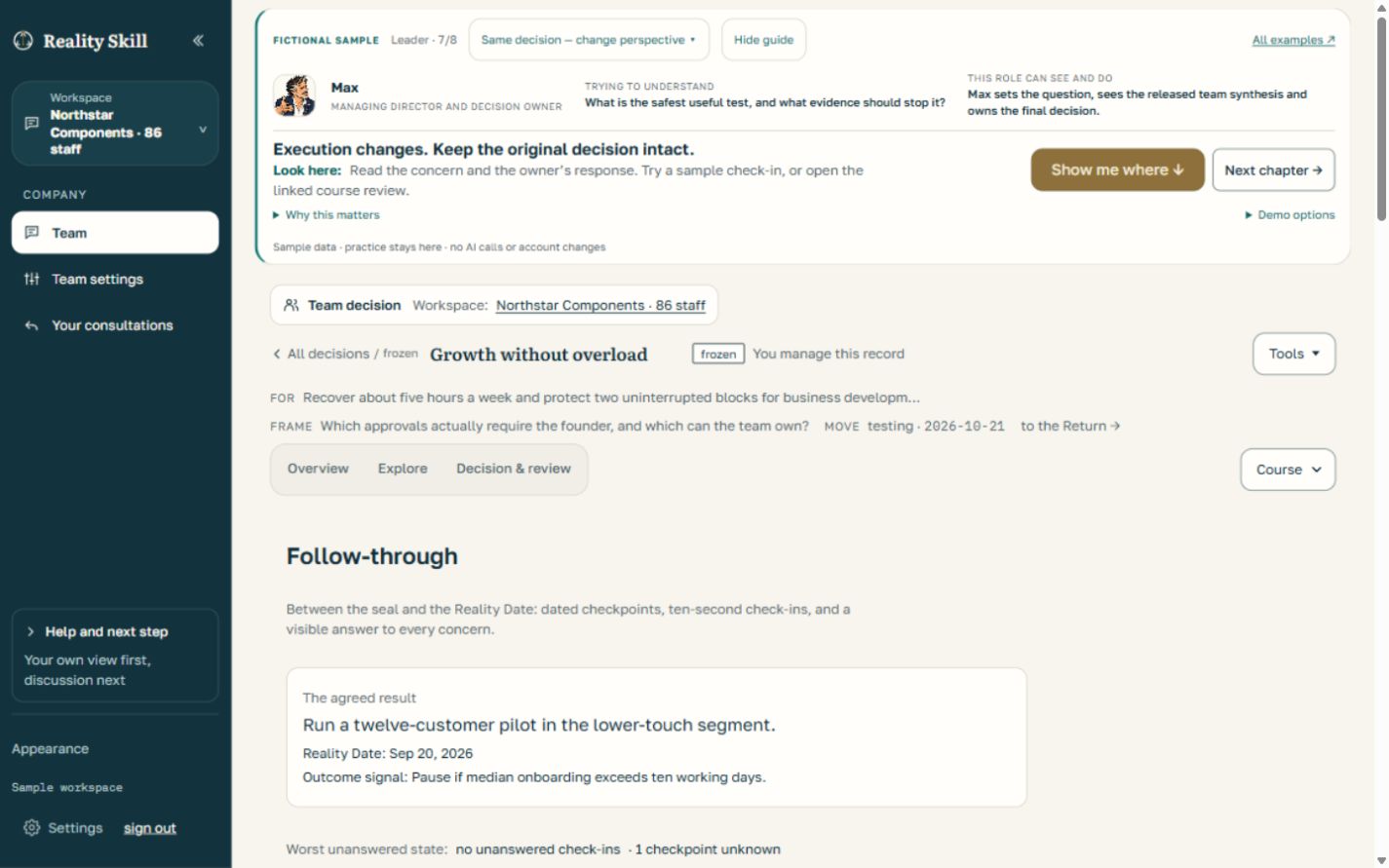
Same record · different permissions
Explore it from the role you would have.
Company owner
Set the question, compare released input, make the accountable choice and respond to later signals.
Open the owner tourParticipant
Contribute before reveal, see how the team handles disagreement, then report what changed in execution.
Open the participant tourInvited advisor
Read the client-authorized packet, offer an independent challenge and see only the response shared back.
Open the advisor tourA free personal account can explore this public demo. Actual company custody, team participation and advisor access depend on the applicable company setup, account access and client permission. The core Team Room has 2–7 people including the owner; the wider Company Consultation is a separate channel for 8–100 invitees.