For consultants and advisors

Help clients see more—and own their next step.

Use a client decision workspace to understand the situation before offering advice. Reality Skill gives consultants and advisors tools to examine evidence, question assumptions, add independent perspectives, and contribute to team deliberation. The client keeps decision ownership and a record they can return to.

The complete loop

More context for useful advice. A clear next step the client owns.

RouteMapCommitReturn
01

Client control

Permission follows the case.

Clients choose which cases to share and can set time-bounded access. Separate client work stays separate, and advisory input does not overwrite the client’s record.

  • Client-authorized access
  • Dated permissions
  • Separated client contexts
  • No silent overwrites
02

Advisor contribution

Understand the context. Add an independent perspective.

Review the client-authorized case before offering a view. Ask questions, test assumptions, add evidence, and contribute before being influenced by other opinions. The record preserves who contributed what and lets every serious idea connect with the rest of the case.

  • Full relevant context
  • Independent contribution
  • Evidence and questions
  • Attributable insight
03

Client continuity

Leave the client with reasoning they can revisit.

The client retains the reasoning, commitment, forecast, and outcome review in one living case. Your contribution stays connected to the decision, so the client can examine what happened and what is useful for the next choice.

  • Durable case record
  • Client-owned learning
  • Outcome follow-through
  • Reusable decision practice

After the decision

Don’t wait for the outcome review to notice a change of course.

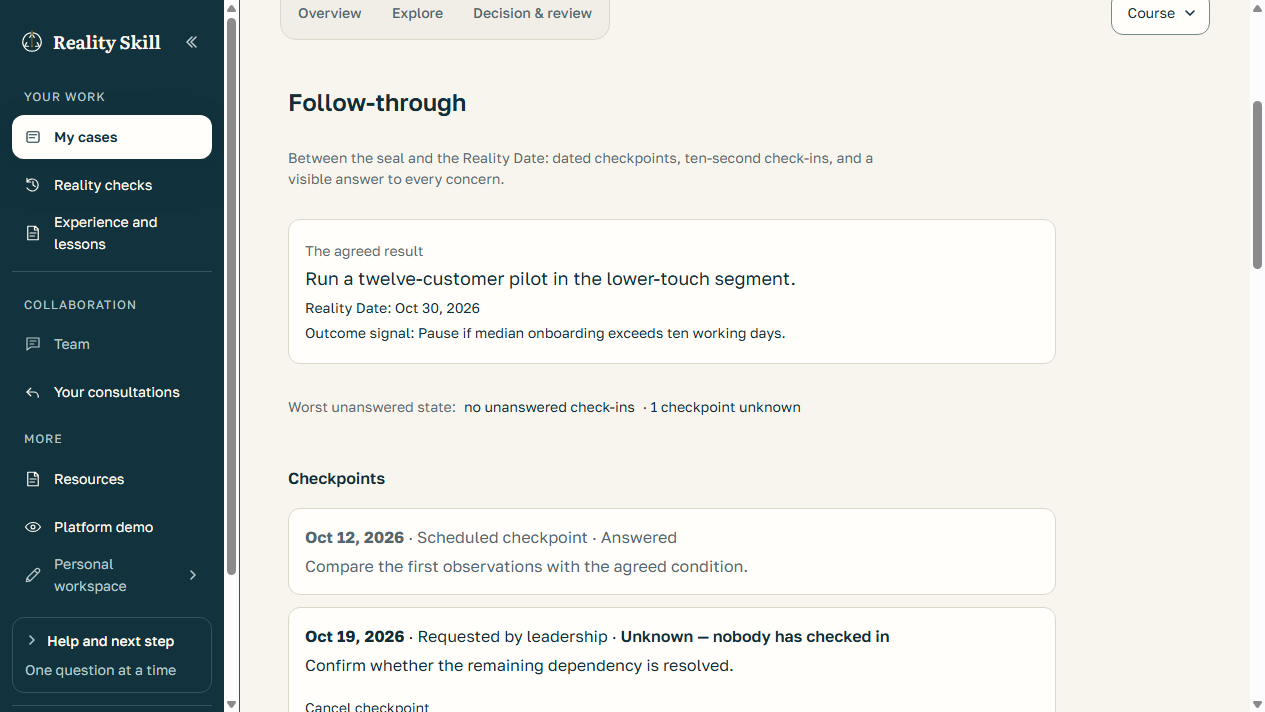
Keep the agreed result visible between commitment and the Reality Date. Checkpoints and quick updates help people surface problems while there is still time to respond.

  1. Commit
  2. Check in
  3. Surface concerns
  4. Adjust course
  5. Review
Explore follow-through in the demo
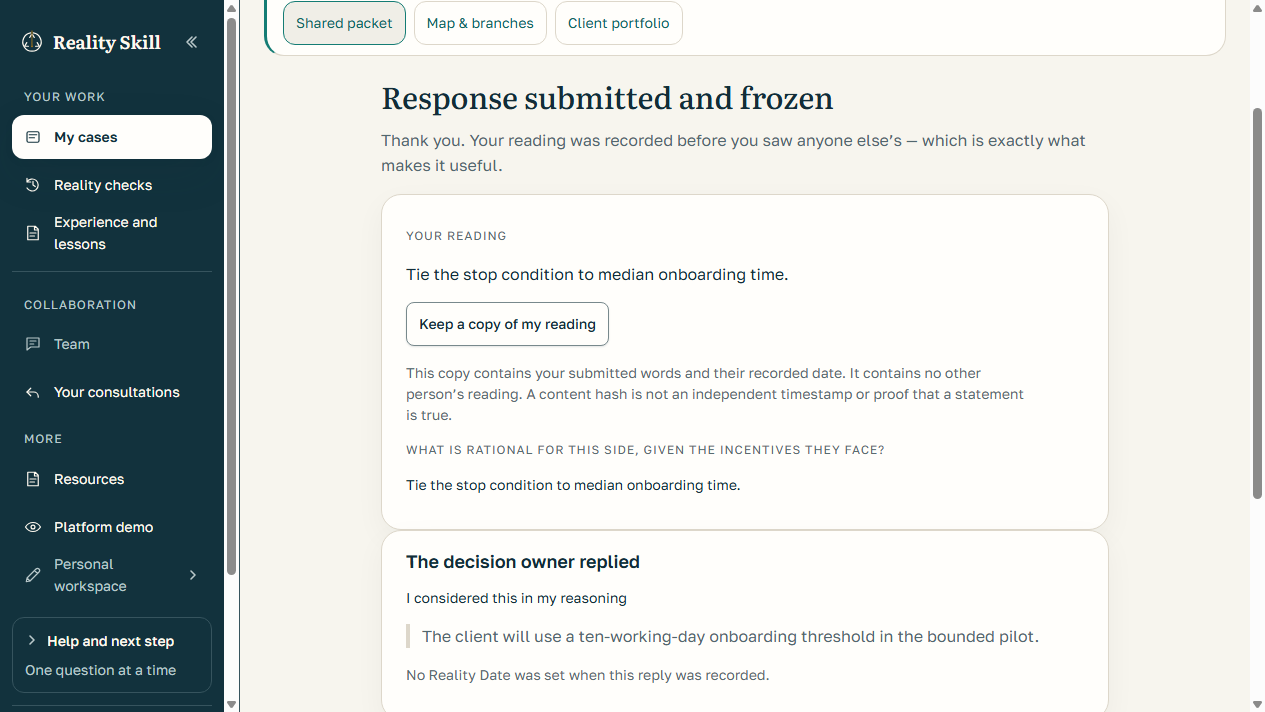
Actual app screen · fictional sample company and prepared events, not a customer result.
  • Set dated checkpoints before the final review, or raise a concern when something changes.
  • Record a quick check-in: on course, drifting, off course, or unable to assess. Explain what changed and request leadership help when needed.
  • The owner side can continue, ask for clarification, or open a linked course review without rewriting the original commitment.
  • Find outstanding updates in the relevant attention lists, review agenda and calendar feed.
Explore follow-through in the demo →

Personal checkpoints are included in free access. Company and advisor oversight follows existing permissions. These are human-reported updates, not automated project monitoring, email alerts or a guarantee of success. Ordinary check-ins are not anonymous protected feedback; their audience is shown in the app.

More ways to reach a useful decision

Capture first. Organize when ready.

Write or paste your information without classifying every sentence. Optional AI organization proposes statements and labels; you review what to accept.

Personal and Company · AI availability and usage limits apply.
Find a better route, systematically.

Step back from a proposed solution to the goal, separate conflicting requirements, or turn an objection into a design condition. Save a candidate before deliberately adopting it as an option.

Personal and Company · the guided exploration itself makes no AI calls.
Keep unfinished writing.

Supported signed-in writing forms save private drafts while you type. Saving a draft does not submit, share, commit or send the writing to AI.

Requires a working connection for server saves; check the save status. Guest forms and uploads have different limits.
Hear beyond the core team.

Company Consultation gathers input from 8–100 invited company members without expanding the 2–7-person Team Room or transferring decision authority. Track unresolved contributions and owner responses.

Company workflow · named or anonymous-to-audience input, within its access rules.
Protect dissent, with accountable moderation.

Authorized participants can use protected feedback and later choose to reveal authorship. Eligible moderators can hide abusive content with a recorded reason and a reconsideration path.

Company leaders have no authorship lookup. Context may still suggest identity; this is not anonymity from infrastructure operators.
See what needs your advice.

Advisors can review current requests, client replies and follow-up requests across authorized engagements. Follow-through attention is limited to explicitly shared cases.

Advisor access requires admission and current client authorization; browsing the demo grants neither.
Questions, answered

What people usually want to know.

Can an advisor make changes to a client decision?

Advisors can contribute within the access granted by the client, but the client retains decision ownership and authority.

Can Reality Skill support a custom advisory engagement?

Yes. Describe what you are trying to accomplish and we will assess fit, explain how we could help, and provide a case-by-case quote.

Optional, separately scoped support

Tell us what you are trying to accomplish.

We will assess whether we can help and provide a tailored quote when there is a useful fit. Share the objective first; access to decision records is agreed separately.

Describe your situation